
Efficient File Management on Android

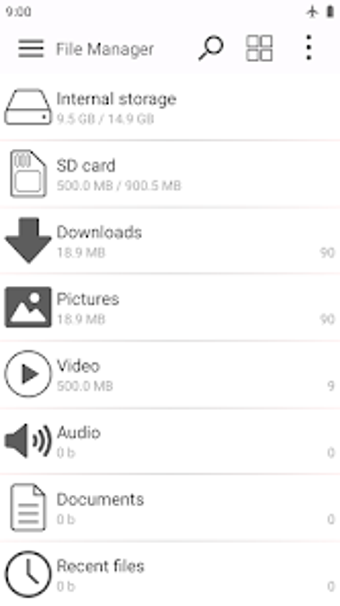
File Manager is a free utility tool designed for Android users to simplify the organization and management of files and folders. It grants access to both internal storage and SD card, allowing users to perform various file operations such as copying, moving, renaming, and deleting files. The application supports sorting files and folders based on multiple criteria including name, date, size, and type, making it easier to locate specific items within a large collection.

Top Recommended Alternative

The app features a user-friendly interface that offers both list view and grid view options, catering to different user preferences. A quick search function enhances usability by allowing users to swiftly find files and folders. Additionally, File Manager includes a built-in image viewer and text editor, providing basic editing capabilities for images and documents directly within the app.

 0/1

App specs

Program available in other languages


User reviews about File Manager

Have you tried File Manager? Be the first to leave your opinion!

Add review

You may also like

Explore Apps

Latest articles

Laws concerning the use of this software vary from country to country. We do not encourage or condone the use of this program if it is in violation of these laws.
Softonic

Is File Manager safe?

100/100

Score result: Clean

This file passed a comprehensive security scan using VirusTotal technology. It is safe to download.

  • Virus free
  • Spyware free
  • Malware free
  • Verified by Security Partners

    VirusTotal logo

Scan Info

Last scan
Monday, April 6, 2026
Scan provider
VirusTotal · Full report

File Integrity

File
co.kitetech.filemanager_0.77.apk
SHA256
13726c993e3cdff13933af9adf8839e73297406762e723fec1abe6b34f91d4c2
SHA1
180a5140f985c157d23f71ed32bd568f85eb565d

Softonic security commitment

File Manager has been thoroughly scanned by our advanced security systems and verified by industry-leading partners. This file comes from the official developer and has passed all our security checks, showing no signs of viruses, malware, or spyware. For more information, visit our Security and Trust Center

Softonic

What is a Validated Developer?

Validated Dev

This badge indicates that Softonic has received authorization to offer the software from the developer or a designated representative, through the Softonic Publisher Center or other agreements. Content, ownership and compliance are responsibility of the developer.

More details in terms and conditions.

Are you a developer?

Join the Softonic Publishing Center and reach millions of users.

Not a developer?